Technical Support: +27 87 550 3479
Support: support@accentronix.co.za
How to add a gate to my App (Android Step-by-step)
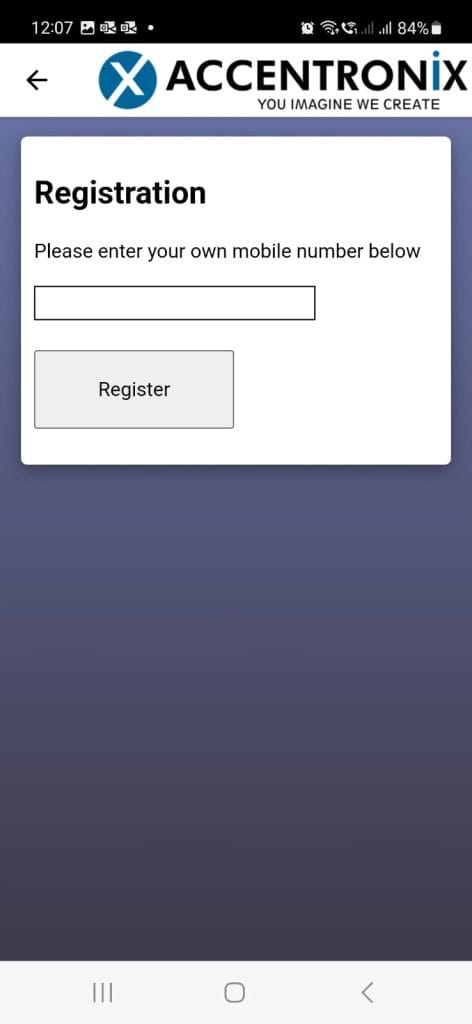
- Open the App
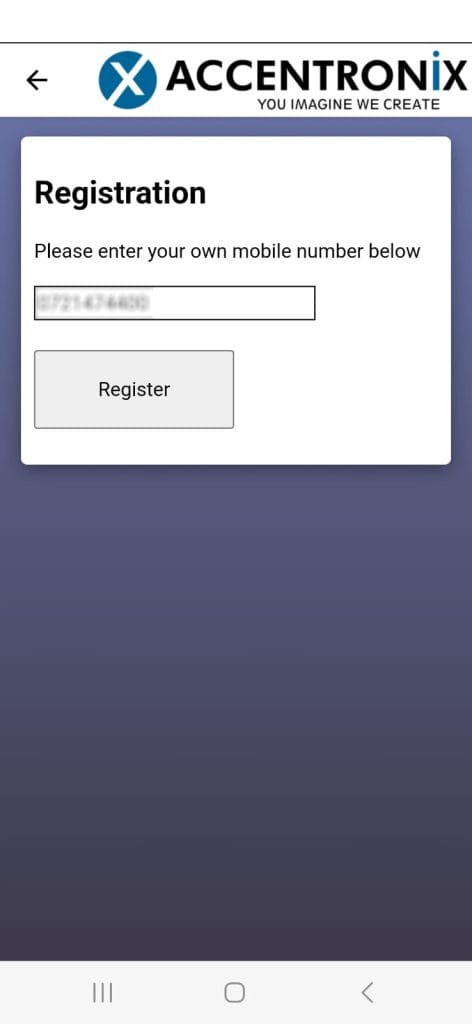
2. Enter your mobile number (You must register your number at the Body Corporate first). Then tap on Register and Verify your number.
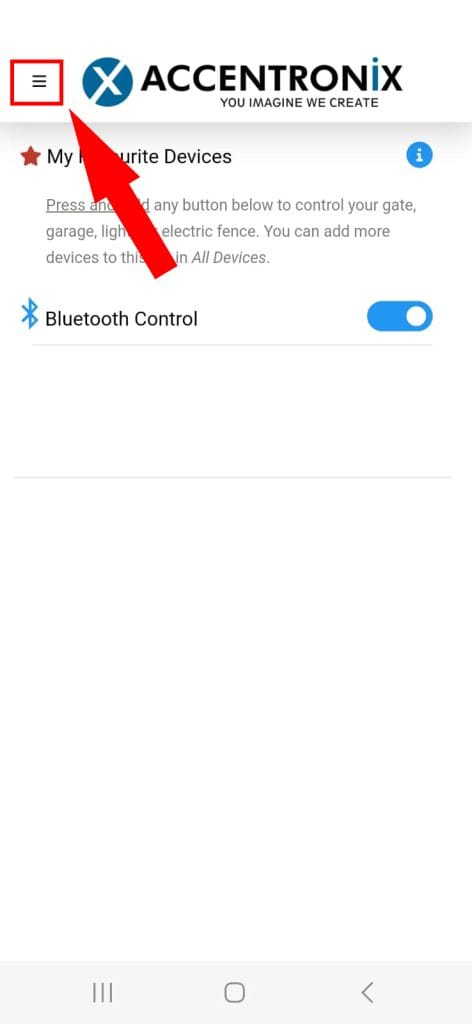
3. By default you will land on he Favourites screen. Click on the hamburger menu.
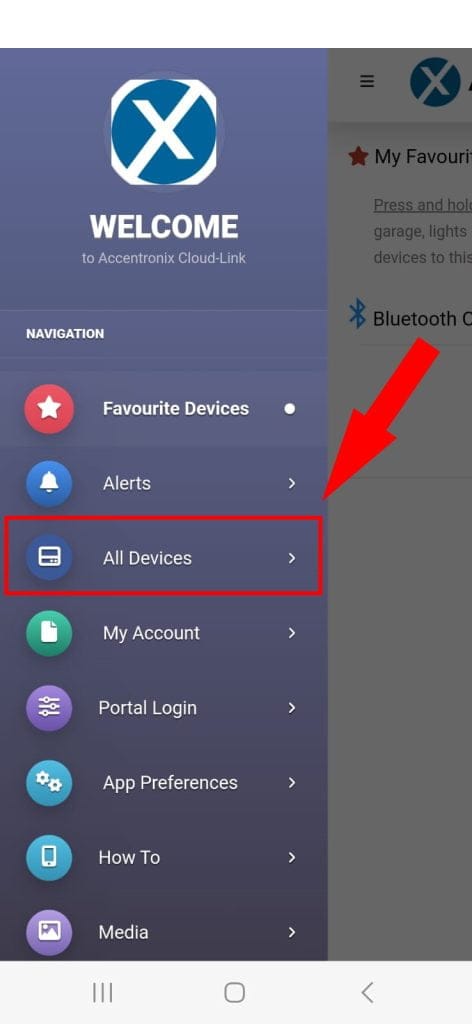
4. Click on All Devices.
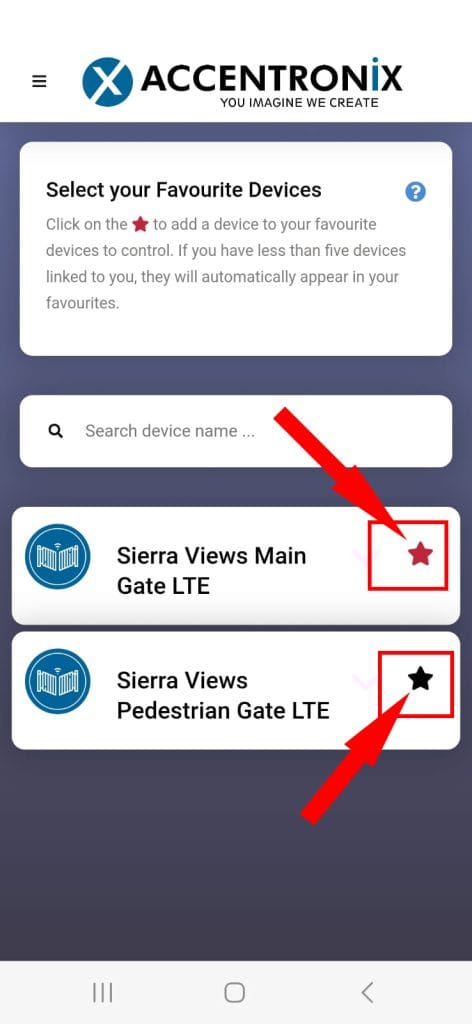
5. You will be registered for both gates, click on the Star icon to mark them as favourites.
They need to turn from BLACK to RED
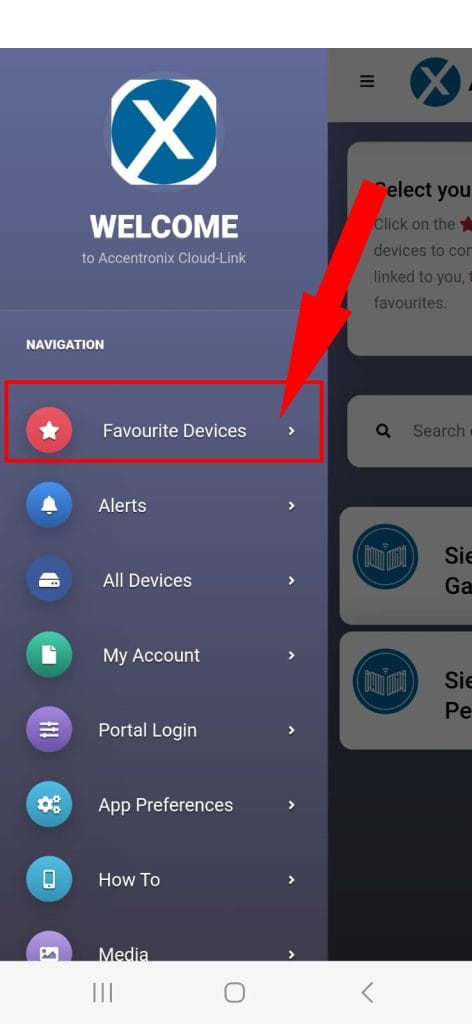
6. Go back to the hamburger menu and click on Favourite Devices.
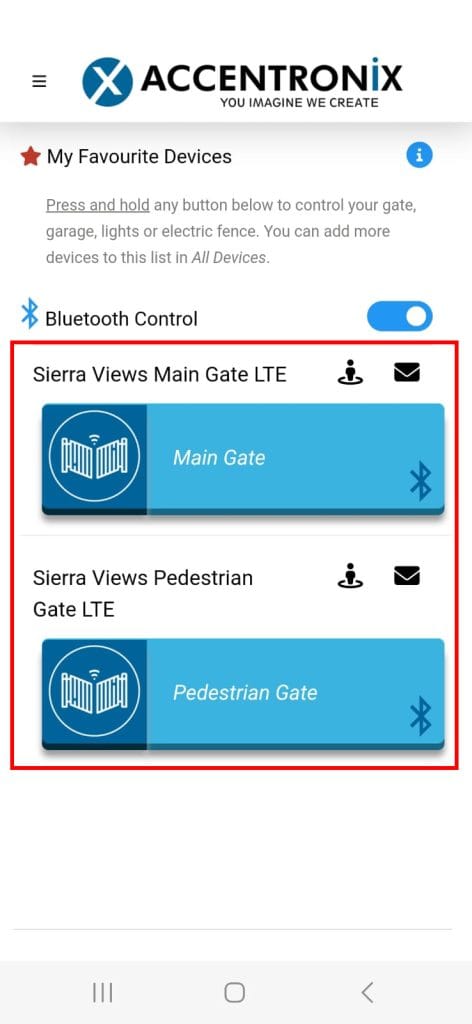
7. You will now see both gates on the My Favourite Devices screen and every time you launch the App.
To open up a specific gate – tap and hold on the gate until you see a confirmation message.